 bussin
Service Bus Explorer Alternatives
Five tools cover most Azure Service Bus work: the Azure Portal, Paolo Salvatori's Service Bus Explorer, QueueExplorer, viewbus, and Bussin. They are not interchangeable. Two are browser tools, three are desktop applications, one is commercial, and only two can talk to the local emulator.
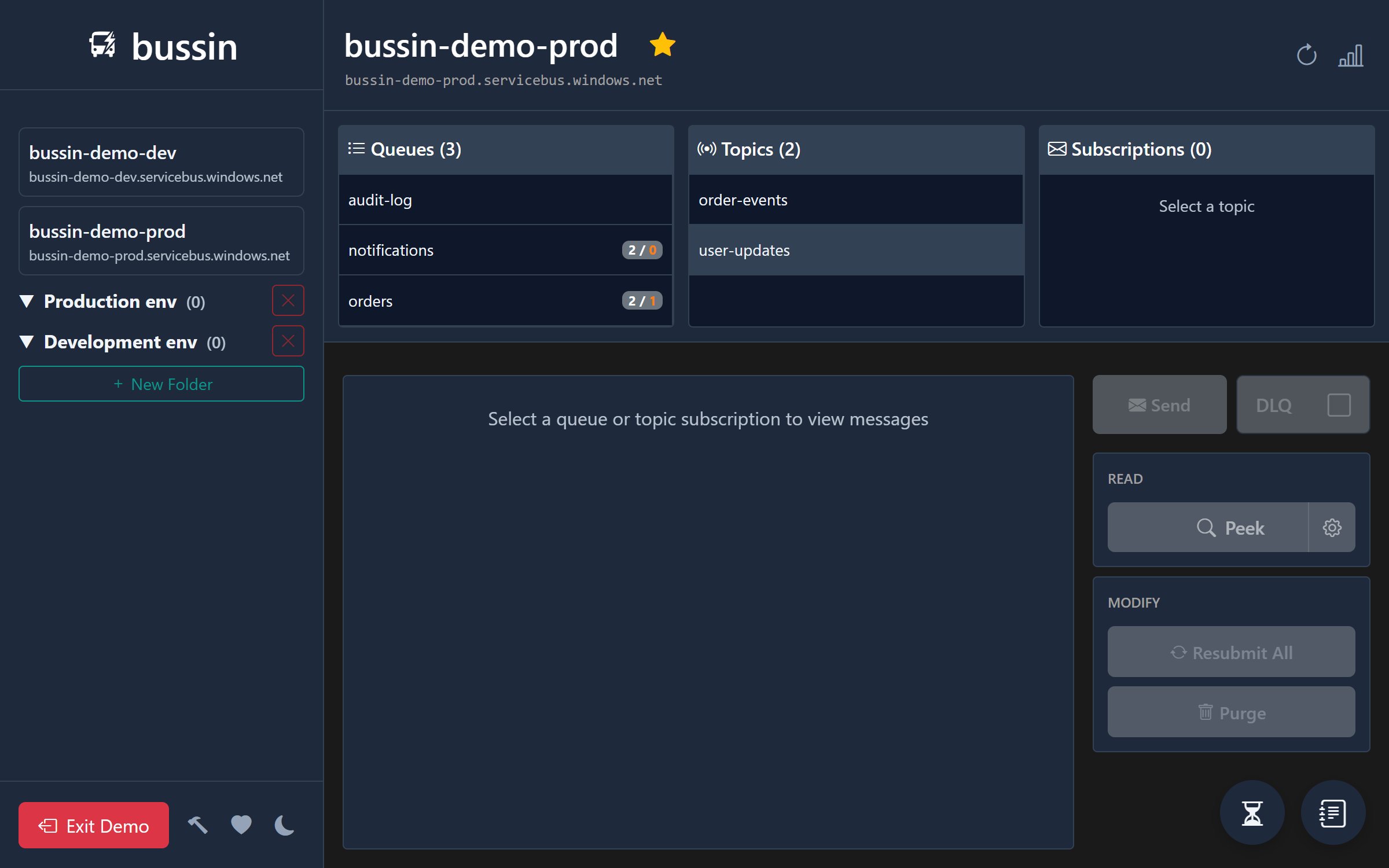
Bussin is the browser-native option. It is a static page that opens AMQP connections straight to your namespace, so there is nothing to install and no server of ours in the path. This page lays out where that wins and where it does not.
The Five Tools
Azure Portal
The Service Bus Explorer blade built into the portal. Peek, receive, send, resend, and purge, plus everything else the portal does for entity management. Free and already in front of you. Its explorer blade peeks at most 100 messages at a time, has no message search, and Microsoft documents that it does not support sessions.
Service Bus Explorer (Paolo Salvatori)
The long-standing community tool, MIT licensed, still shipping: 6.2.0 landed in April 2026. The most complete of the five. Full broker administration, import and export, relay and notification hub support, and emulator connections. Windows 10 or later with .NET Framework 4.6.2 only, and the UI has thirteen years of features layered into it.
QueueExplorer (Cogin)
A native desktop application, and the only paid tool here: 149 USD per computer for Standard, 249 USD for Professional, 14-day trial. It also covers RabbitMQ, MSMQ, and ActiveMQ in the same licence, which is the real reason to buy it. Native Windows, macOS, and Linux builds. Professional adds schema import and export and custom columns that pull fields out of message bodies with XPath, JSON expressions, or regex.
viewbus
A free native desktop app for Windows and macOS, no account and no telemetry. Fuzzy search across bodies in many entities at once, syntax highlighting for XML, YAML, and protobuf, threshold alerts on queue depth, and a diff view when you edit a message before resending. Closed source for now, with open-sourcing on the public roadmap. No Linux build, and no entity management.
Bussin
A browser tab. Nothing to install, works on any OS including a phone, and the page speaks AMQP to your namespace directly so no server of ours sees your tokens or payloads. Built around repairing messages: search bodies and properties, edit, resubmit in bulk while deleting the originals, and cancel scheduled messages. Source available under BUSL-1.1, free for personal and internal business use. Ships an MCP server so an AI agent can read and act on your queues.
Feature Comparison
Every row below was checked against each vendor's own documentation in September 2026. Rows we could not verify for all five tools are discussed in prose instead of guessed at in the table.
| Feature | Bussin | Azure Portal | Service Bus Explorer | QueueExplorer | viewbus |
|---|---|---|---|---|---|
| Runs with no installation | ✓ | ✓ | |||
| Windows, macOS and Linux | ✓ | ✓ | ✓ | ~ | |
| Usable from a phone or tablet | ✓ | ✓ | |||
| Free of charge | ✓ | ✓ | ✓ | ✓ | |
| Source code available | ~ | ✓ | |||
| Entra ID sign-in | ✓ | ✓ | ✓ | ✓ | ✓ |
| Paste an external connection string | ✓ | ✓ | ✓ | ✓ | |
| Peek more than 100 messages at once | ✓ | ✓ | ✓ | ✓ | |
| Search message bodies | ✓ | ✓ | ✓ | ✓ | |
| Resubmit from DLQ and delete the original | ✓ | ✓ | ✓ | ✓ | |
| Create and delete queues and topics | ✓ | ✓ | ✓ | ||
| Manage subscription filter rules | ✓ | ✓ | ✓ | ✓ | |
| Connect to the local Service Bus emulator | ✓ | ✓ | |||
| MCP server for AI agents | ✓ | ~ |
Notes on the ~ marks. viewbus ships Windows and macOS builds but no Linux build. Bussin's source is published under BUSL-1.1, which is source-available rather than open source: free for personal, educational, and internal business use, and it converts to Apache 2.0 on 1 January 2029. viewbus includes a read-only MCP server; Bussin's also performs write operations such as sending, resubmitting, and purging.
QueueExplorer's message search is a filter over loaded messages, and Professional's custom columns can extract fields with XPath, JSON expressions, or regex. Bussin and viewbus search across several entities at once. Prices and versions are as published in September 2026; check the vendors for current figures.
Where Bussin Loses
Running inside a browser tab costs real capability. If any of the following matters to you, pick a different tool for that job.
- No local emulator. The Service Bus emulator exposes AMQP over TCP, not over WebSockets, and a browser page can only open WebSocket connections. This is a hard architectural limit. Service Bus Explorer and QueueExplorer can both connect to the emulator.
- No entity management. Bussin cannot create or delete a queue, topic, or subscription, and cannot edit entity properties such as lock duration, max delivery count, or TTL. Subscription filter rules are the one exception. For the rest, use the portal or Service Bus Explorer.
- No authorization rule management. Shared access policies and RBAC assignments are portal work.
- Batch send does not cover session-enabled entities, because each message needs its own session ID. Single sends are fine. Bulk delete and purge on partitioned or session-enabled entities also fall back to slower data-plane receiver loops, since the fast broker-side purge API does not support those entity types.
- No relay, notification hub, or Event Hub support. Service Bus Explorer covers all three.
- Only Service Bus. If you also run RabbitMQ, MSMQ, or ActiveMQ, QueueExplorer handles all of them under one licence.
- Private endpoints still need network access. A namespace reachable only through a private endpoint requires your browser to run on a host inside that virtual network. The portal's explorer has the same constraint, but a desktop tool on a VPN-connected machine has an easier time of it.
When to Use Which
Azure Portal
Creating entities, editing their configuration, managing access policies, and reading metrics. For messages it is serviceable but thin: 100 peeked messages at a time, no body search, no sessions, and its resend always leaves the original sitting in the dead-letter queue.
Service Bus Explorer
You are on Windows and you want one tool that does everything, including emulator work, relays, and notification hubs. Still the deepest of the five. The cost is a desktop install and a dense UI.
QueueExplorer
You manage more brokers than Service Bus alone, or you want XPath and regex columns over message bodies. The only one you have to pay for, and the only paid one with native Linux builds.
viewbus
You prefer a native desktop app on Windows or macOS, want queue-depth alerting, and work with protobuf or YAML payloads. Free, and closest to Bussin in what it is for.
Bussin
Something is stuck in a dead-letter queue and you want it fixed now, from whatever machine you happen to be at. Open a tab, sign in with the identity you already have, find the messages, edit them, put them back, leave. Also the only option on Linux or a phone without installing anything, and the one to reach for when you have a connection string for someone else's namespace and no Entra ID access to it.
How a Browser Tab Talks to Service Bus
Namespace discovery goes through Azure Resource Manager over ordinary HTTPS. ARM sends CORS headers, so a browser page can list your subscriptions, resource groups, namespaces, queues, and topics with a bearer token and no proxy. That is why you never type a connection string for a namespace you already have access to, and why Bussin only ever shows you what your Entra ID identity can actually see.
Message operations are different. The Service Bus data-plane REST endpoints send no CORS headers, so a browser page cannot call them at all. Bussin instead opens an AMQP 1.0 connection over a secure WebSocket to wss://<namespace>.servicebus.windows.net:443/$servicebus/websocket. WebSocket handshakes are not subject to CORS, so this works from a page. The AMQP protocol logic runs in your browser, and authentication happens through a Claims-Based Security handshake against the namespace's $cbs node using your Entra ID token.
Two consequences follow. Everything stays on port 443, so corporate proxies and VPNs generally pass it without new firewall rules. And your tokens and message payloads never reach a server of ours, because there is no server of ours: bussin.dev serves static files, and the traffic that carries your data goes browser to Azure. That also means every action is governed by your existing RBAC. You need Azure Service Bus Data Receiver to peek, Data Sender to send or resubmit, or Data Owner for both. Bussin cannot grant itself anything your account does not already have.
The same design is what rules out the emulator, which has no WebSocket listener to connect to.
Frequently Asked Questions
Does Bussin replace the desktop Service Bus Explorer?
No. Paolo Salvatori's Service Bus Explorer creates and deletes entities, edits queue and topic properties, manages authorization rules, and connects to the local Service Bus emulator. Bussin does none of that. Bussin covers the day-to-day messaging workflow instead: peeking, searching, settling, and recovering messages from any browser. Plenty of people keep both installed.
Which of these tools run on macOS and Linux?
Bussin and the Azure Portal run in any modern browser, so any OS works. QueueExplorer ships native builds for Windows, macOS (Apple Silicon and Intel), and Linux as deb, rpm, AppImage, and tar.gz. viewbus ships Windows and macOS builds but no Linux build. Paolo's Service Bus Explorer requires Windows 10 or later and .NET Framework 4.6.2, so macOS and Linux need Wine or a virtual machine.
What do these tools cost?
The Azure Portal, Service Bus Explorer, viewbus, and Bussin are all free. QueueExplorer is commercial: as of September 2026 it is 149 USD per computer for Standard and 249 USD for Professional, with volume discounts and a 14-day trial.
Can I resubmit a dead-lettered message and remove the original?
In Bussin, yes, in one action and across a whole selection. The Azure Portal cannot: its resend operation sends a copy and Microsoft documents that the original stays in the dead-letter queue, so you have to purge or receive it separately. Service Bus Explorer, QueueExplorer, and viewbus all support moving messages back to the source entity.
Why can Bussin not connect to the local Service Bus emulator?
The emulator does not expose an AMQP-over-WebSockets listener, and WebSockets are the only transport a browser page can use to reach an AMQP broker. There is no workaround from inside a browser. If you need to work against the emulator, use Service Bus Explorer or QueueExplorer, both of which have a dedicated emulator connection option.
Does Bussin work with connection strings?
Yes. Bussin accepts a standard Service Bus connection string in "Run without login" mode, which is how you reach a partner or customer namespace you have no Entra ID access to. The Azure Portal cannot do this: it only shows namespaces your signed-in identity can already see through Azure Resource Manager.
Can I use Bussin behind a corporate proxy or VPN?
Usually. Bussin talks to the Service Bus data plane over WebSockets on port 443 (wss://), which passes through most corporate proxies without special rules. The exception is a namespace reachable only through a private endpoint, where your browser has to be running on a host inside that virtual network. That constraint applies to the Azure Portal's explorer too.