 bussin
An easy, fast, in-browser Azure Service Bus Explorer
Bussin is a secure, client-side tool for Azure Service Bus that runs entirely in your browser. Log in with Entra ID or connect instantly using a Connection String. Inspect and interact with topics, queues, and subscriptions, allowing you to peek, resubmit, send, and move messages to dead-letter queues. Because your messages and credentials are never sent to an external server or proxy, you maintain full data privacy.
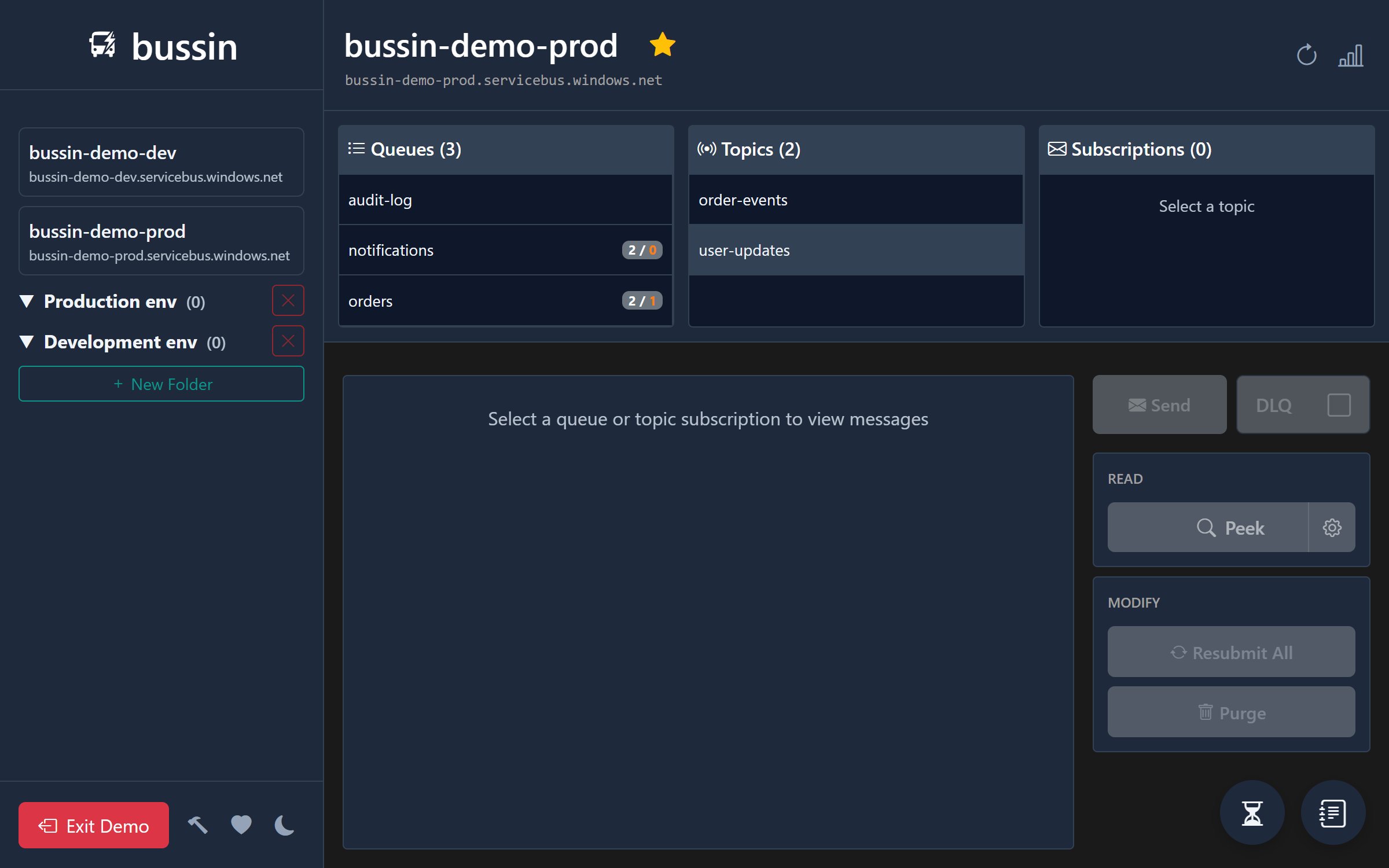
What is Bussin?
Bussin runs entirely in your browser. It establishes WebSockets connections directly to Azure from your browser. This keeps all network traffic strictly client-side and secure, meaning no data is stashed or transited through any third-party server.
Direct Connections
Bussin runs all connections directly in your browser's security sandbox. No backend servers, no intermediate proxy nodes.
Built for Developers
Whether you need to debug live message flows, inspect message bodies, or troubleshoot dead-letter queues, Bussin provides a simple, direct interface.
Private & Secure
Your credentials, access tokens, and message payloads are handled entirely inside your browser and never reach a Bussin server, because there is no Bussin server to reach. See Security for exactly what is kept in browser storage and what is held only in memory.
Product Walkthrough
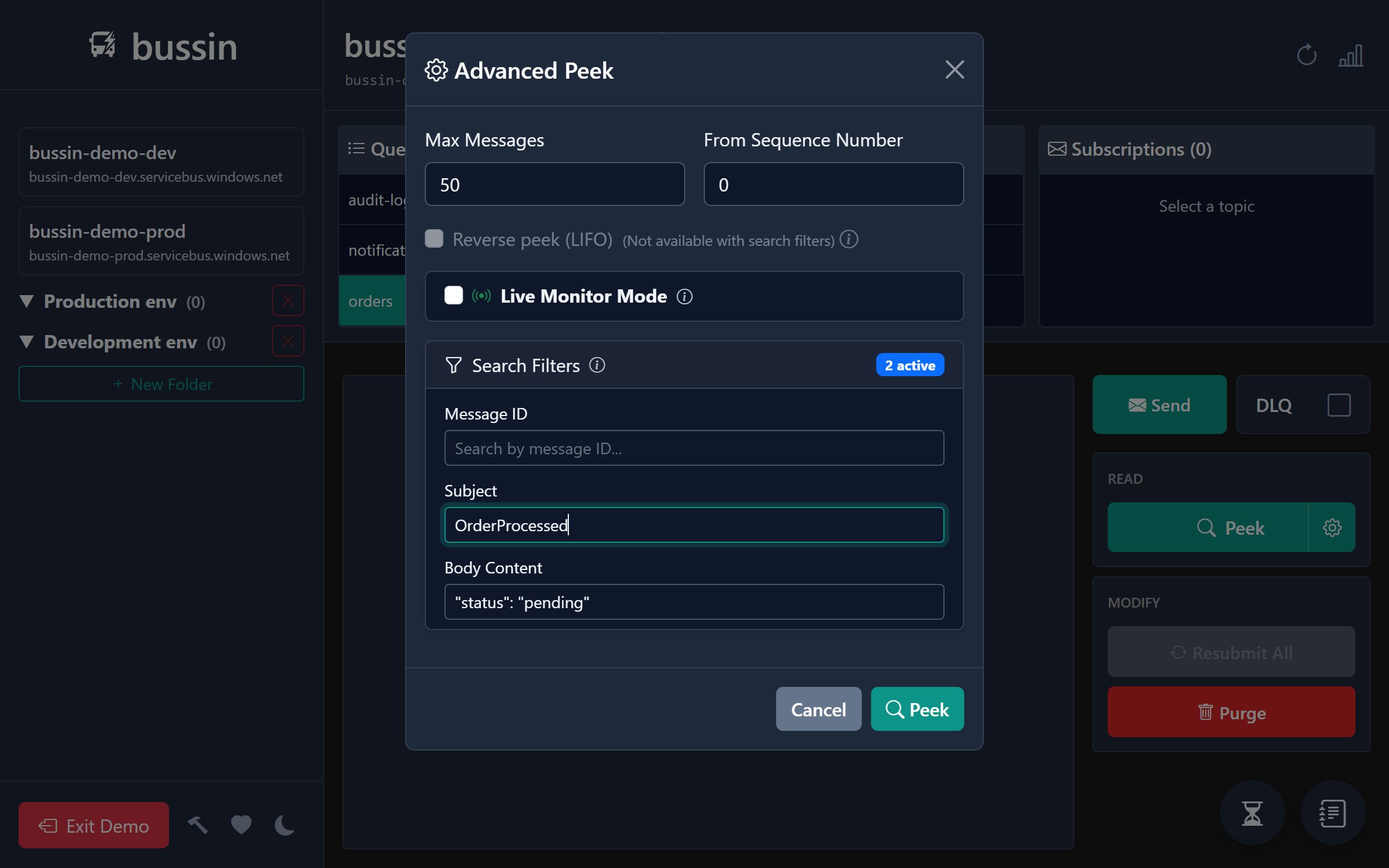
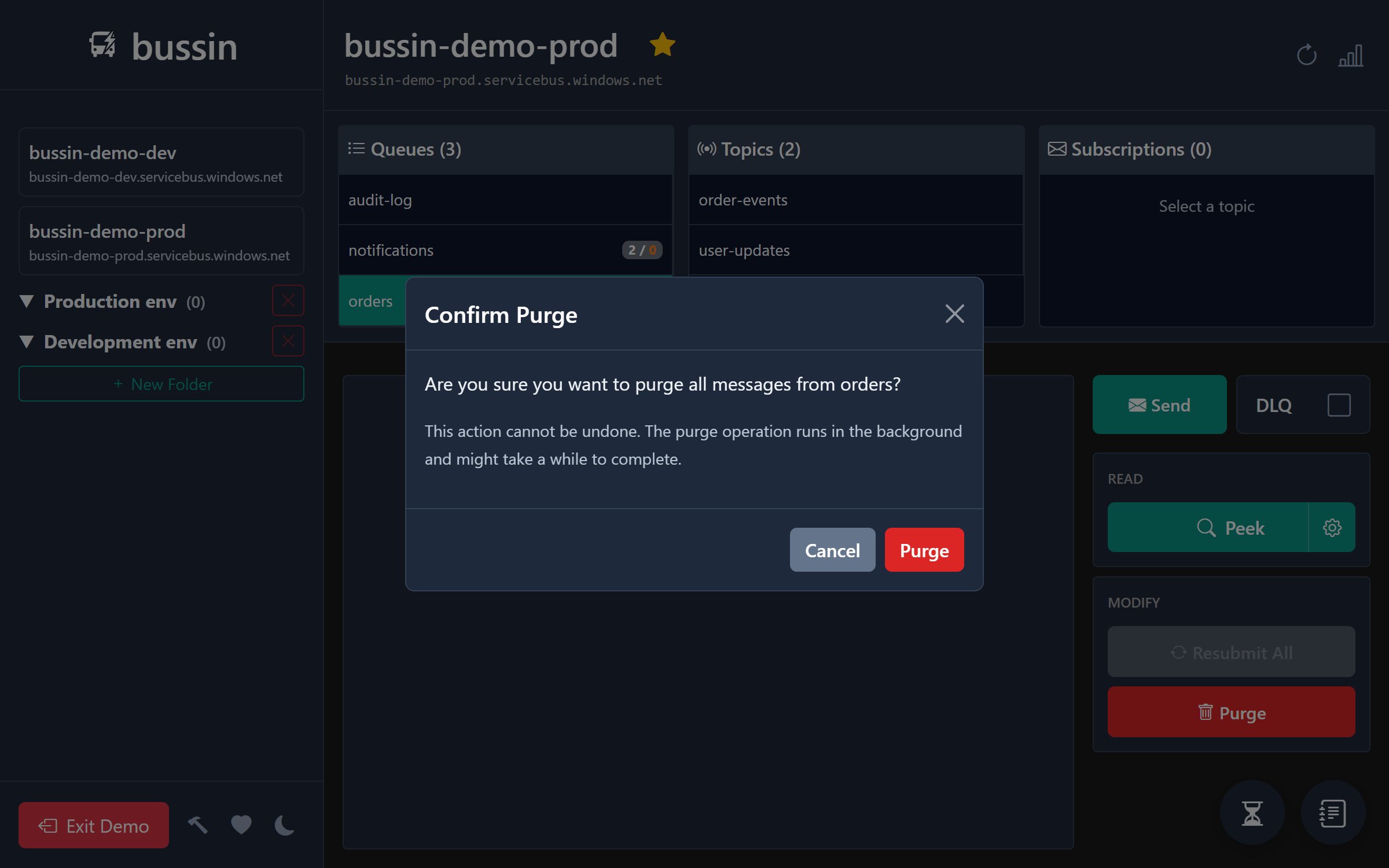
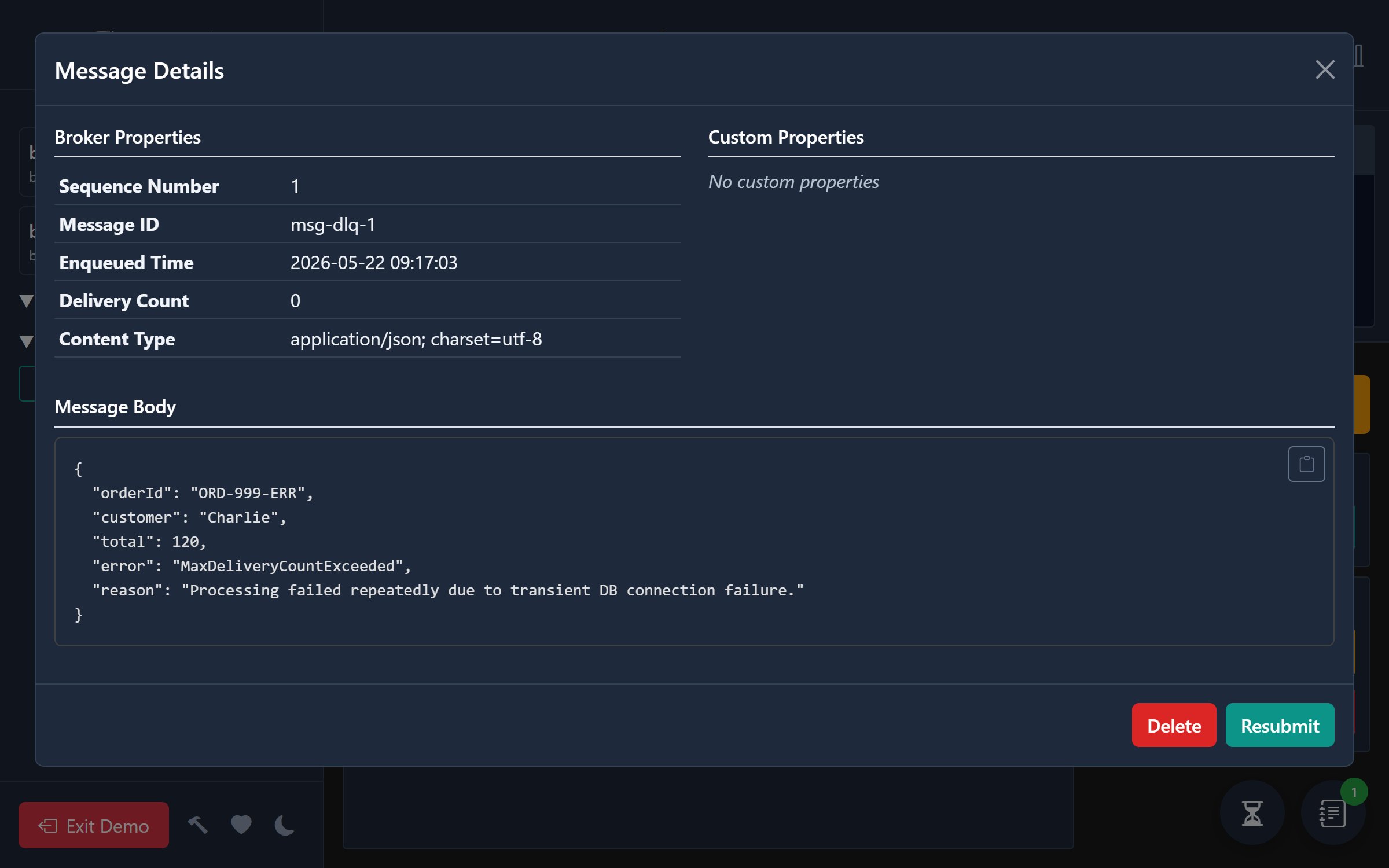
Brief Feature Overview
Bussin brings the power of traditional desktop admin tools straight to a secure browser tab. For detailed guides, explore our main navigation:
- Features: Detailed list of functional capabilities like message peeking, lock settlement, inline message editing & resubmission, custom JSON exporting, batch uploading, and bulk operations.
- How It Works: Browser architecture, WebSockets connection details, authentication flow, and required Azure permissions.
- Security: Complete details on data flow, direct memory processing (no server storage or telemetry collection), and why connections remain browser-only.
- Docs: Step-by-step usage guides for getting started, peek lock, and dead-letter queue recovery.
Common Use Cases
- Looking for a Service Bus Explorer alternative?
- Need a Service Bus tool on Linux or Mac?
- Want a browser-based Service Bus Explorer?
- Want to learn about Dead-Letter Queue recovery?
- Need to configure Azure Service Bus Auto-Forwarding?
- Want to connect Claude or ChatGPT to your queues with the Azure Service Bus MCP server?
- Curious what's new? See the changelog.
Bussin Compared to Other Service Bus Tools
Most people arrive here already using something else. This is where Bussin differs from the Azure Portal, from Paolo Salvatori's desktop Service Bus Explorer, and from QueueExplorer. The full comparison covers viewbus and entity administration as well.
| Feature | Bussin | Azure Portal | Service Bus Explorer | QueueExplorer |
|---|---|---|---|---|
| Runs with no installation | ✓ | ✓ | ||
| Windows, macOS and Linux | ✓ | ✓ | ✓ | |
| Free of charge | ✓ | ✓ | ✓ | |
| Resubmit from DLQ and remove the original | ✓ | ✓ | ✓ | |
| Connect with a connection string only | ✓ | ✓ | ✓ | |
| Peek sessions without knowing the Session ID | ✓ | ~ | ✓ | |
| Create and delete entities | ✓ | ✓ | ||
| Connects to the local emulator | ✓ | ✓ | ||
| MCP server for AI assistants | ✓ |
The last two rows are the honest limits. Bussin handles messages, not entity administration, and a browser page cannot reach the emulator because the emulator has no WebSocket listener to connect to. If you need either, keep the desktop Service Bus Explorer alongside Bussin.
Frequently Asked Questions
What is Bussin?
Bussin is an Azure Service Bus explorer that runs in a browser tab. It peeks and searches messages, settles peek-locks, edits and resubmits payloads, recovers dead-lettered messages, cancels scheduled messages, and manages subscription filters across queues, topics, and subscriptions. It connects straight to Azure over AMQP 1.0 on a secure WebSocket, so there is no backend and no proxy.
Is Bussin free?
Yes. Bussin is free to use and its source is available under BUSL-1.1. There is no paid tier, no account to create on bussin.dev, and no trial period. You sign in with your own Entra ID identity or paste a connection string.
Do I need to install anything?
No. Open app.bussin.dev and connect. There is no installer, no .NET runtime to add, and no administrator approval needed, which matters on locked-down corporate machines. If you prefer an app window and a dock icon, you can install Bussin as a Progressive Web App from the browser, or get it from the Microsoft Store.
Does Bussin work on macOS and Linux?
Yes, in any modern browser, including on ChromeOS, iOS, and Android. This is the usual reason people look for an alternative to the desktop Service Bus Explorer, which requires Windows 10 or later and .NET Framework 4.6.2 and otherwise needs Wine or a virtual machine. See the macOS and Linux guide.
Is Bussin a replacement for Service Bus Explorer?
For day-to-day message work, yes. For entity administration, no. Paolo Salvatori's Service Bus Explorer creates and deletes entities, edits queue and topic properties, manages authorization rules, and connects to the local emulator. Bussin does none of those. Many people keep both and reach for Bussin when they are on a machine where the desktop tool will not run. The comparison page goes through this feature by feature.
Do my messages or credentials pass through a Bussin server?
No, because there is no Bussin server to pass through. bussin.dev serves static files. Once the page has loaded, your browser opens its own AMQP connection to your namespace and the traffic carrying tokens and message payloads goes browser to Azure. Nothing is logged or stored on our side. Security sets out what is held in browser storage and what stays in memory only.
Can I use Bussin without an Entra ID account on the namespace?
Yes. Bussin accepts a standard Service Bus connection string in "Run without login" mode, which is how you reach a partner or customer namespace you have no directory access to. The Azure Portal cannot do this, since it only lists namespaces your signed-in identity can already see through Azure Resource Manager.
What Azure permissions does Bussin need?
Whatever your own identity already has. Azure Service Bus Data Receiver lets you peek and receive, Data Sender lets you send and resubmit, and Data Owner covers both. Every action runs under your existing RBAC assignments, so Bussin cannot do anything your account could not do in the portal.
Can Bussin connect to the local Service Bus emulator?
No. The emulator exposes no AMQP-over-WebSockets listener, and WebSockets are the only transport a browser page can use to reach an AMQP broker. There is no workaround from inside a browser. Use Service Bus Explorer or QueueExplorer for emulator work.
Try Bussin Instantly
You can try Bussin immediately with our live demo environment. Test operations like peek, resubmit, send, and moving messages to dead-letter queues in a mock namespace, without needing a login, permissions, or Azure consent.