 bussin
Cross-Platform Azure Service Bus Explorer
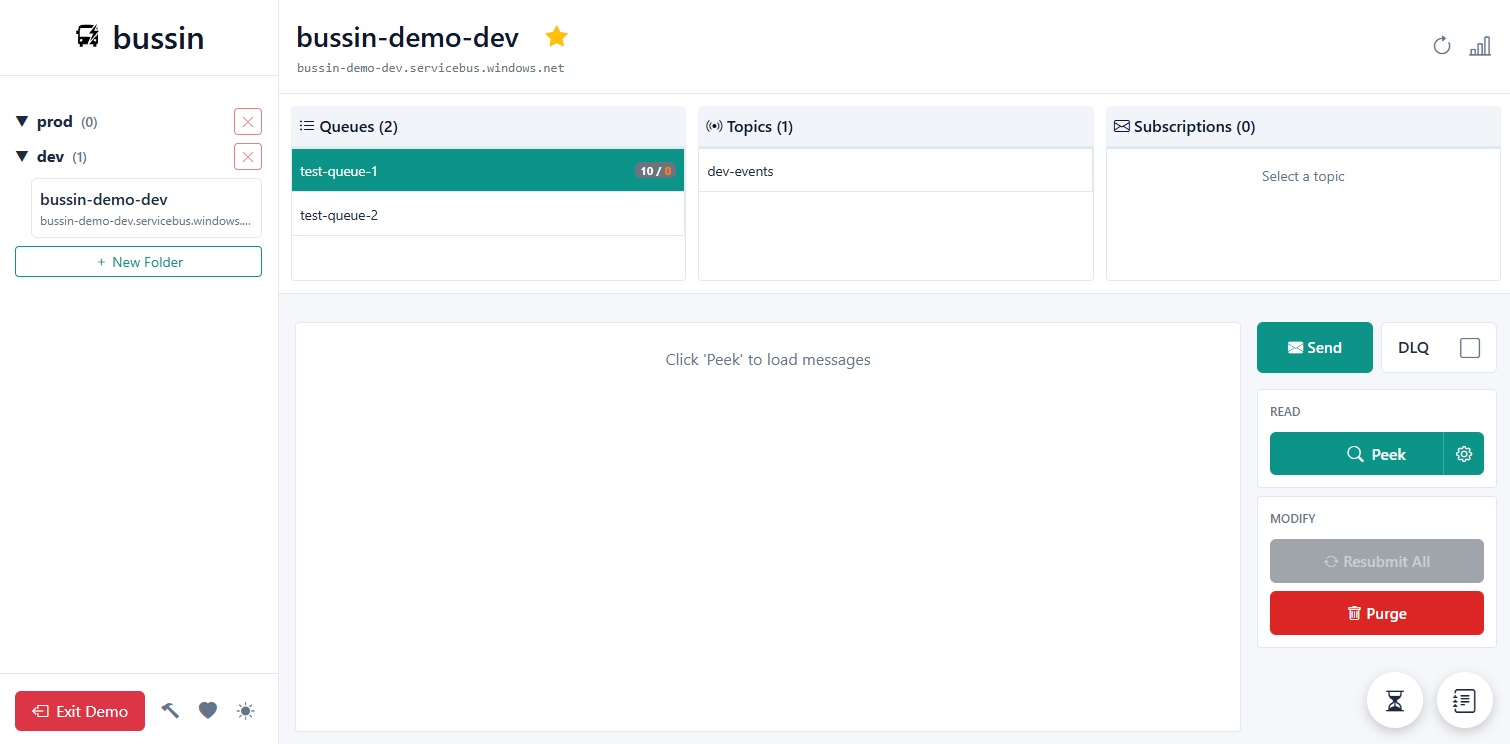
Bussin provides a fast management interface that runs natively across macOS, Linux, and Windows. By running directly in your web browser, it eliminates operating system dependencies and installation requirements.
Running Service Bus Explorer on macOS and Linux
Developers on macOS and Linux often face friction when working with standard desktop tools:
- Wine and Mono Emulation: The classic Windows-based Service Bus Explorer requires Wine configurations or Mono runtimes on macOS and Linux, which can lead to slow startup times and UI rendering glitches.
- Resource Overhead: Booting up virtual machines or containers just to peek at a queue or debug a dead-letter message is slow and resource-heavy.
- Installation Permissions: Corporate security policies often restrict downloading or running native desktop executables.
Progressive Web App (PWA) Support
Bussin runs in standard browsers (Safari, Chrome, Firefox, or Edge). You can also install it as a Progressive Web App (PWA) to run it as a standalone application:
- Dedicated Window: Runs in its own app window, free of standard browser address bars or navigation tabs.
- OS Integration: Places the Bussin launcher icon directly in your macOS Dock or Linux application menu.
- No Local Dependencies: Launches instantly without requiring native framework updates or runtimes.
Installing as a Desktop App
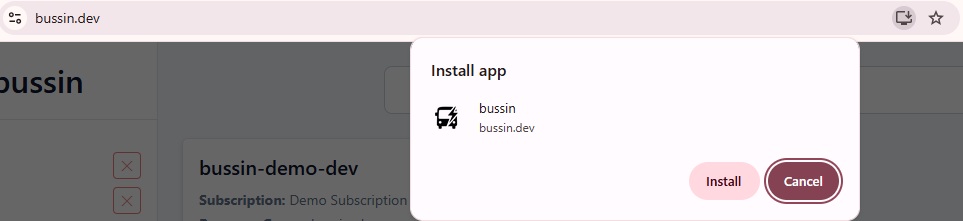
In Chrome or Edge, navigate to app.bussin.dev and look for the install icon in the address bar. Click it, confirm, and Bussin appears in your Applications folder (macOS) or app menu (Linux). That's it. No package manager, no terminal commands.
Browser Compatibility
Bussin uses WebAssembly and WebSockets, which are supported by all modern browsers:
- Chrome / Chromium: Full support. Recommended for PWA install and best WebAssembly performance.
- Firefox: Full support. All messaging features work in a standard tab. Does not support PWA install natively.
- Safari: Full support on macOS. WebSockets and WebAssembly both work. PWA support available via Add to Dock.
- Edge: Full support. Same Chromium engine as Chrome, with PWA install support.
Works on Mobile
Bussin has a responsive interface that works on phones and tablets. Sign in with Entra ID, peek messages, check dead-letter reasons, or resubmit failed messages, all from a mobile browser. No app install needed, just open the URL.
This is especially practical for quick checks when you're away from your workstation. Log in, inspect the queue, and close the tab.
Installing on Each Platform
macOS
In Safari 17 or later, open app.bussin.dev and choose File → Add to Dock. In Chrome or Edge, use the install icon at the right-hand end of the address bar. Either way Bussin lands in ~/Applications and behaves like any other Dock app, so Command-Tab, Spotlight, and Mission Control all treat it as one.
Linux
Chrome and Chromium expose the same install icon in the address bar. Installing writes a standard .desktop entry into ~/.local/share/applications/, so Bussin appears in GNOME Activities, the KDE launcher, or whatever menu your desktop uses, and can be pinned like a native application. No package manager, no root, no runtime to keep current.
Firefox no longer supports installing site-specific browsers, so on Firefox Bussin runs as an ordinary tab. Every messaging feature still works, and only the standalone window is missing.
Windows
Edge and Chrome both offer the install icon, and Bussin registers in the Start menu and taskbar. Windows users can equally run the classic desktop Service Bus Explorer; the browser version is worth it mainly if you want the same environment as your Mac and Linux colleagues.
What Your Network Needs to Allow
Because Bussin connects straight from your browser to Azure, the only traffic is to Microsoft endpoints. There is no Bussin server in the path. On a locked-down corporate network, these are what need to be reachable:
| Endpoint | Purpose |
|---|---|
wss://<namespace>.servicebus.windows.net:443 |
AMQP over WebSockets, the actual messaging traffic |
https://login.microsoftonline.com |
Entra ID sign-in and token acquisition |
https://management.azure.com |
Discovering which namespaces and queues your account can see |
https://app.bussin.dev |
Loading the static application itself, once, then cached |
All of it is ordinary HTTPS and WebSocket traffic on port 443, so it passes through most corporate proxies unchanged. If your organisation already permits the Azure Portal, nothing further is usually required. Deep-packet-inspecting proxies that terminate WebSocket upgrades are the one exception worth knowing about. They will break the AMQP connection, and that affects any browser-based Service Bus tool equally.
Azure Permissions
Bussin uses your own identity and inherits exactly the roles you already have. There is nothing to grant to Bussin itself, because there is no service principal in the middle:
- Azure Service Bus Data Receiver: peek messages and inspect dead-letter queues
- Azure Service Bus Data Sender: send, resubmit, and replay messages
- Reader on the namespace or its resource group: see which namespaces and entities exist
If you can already manage the namespace in the Azure Portal, you have what you need. If namespaces do not appear after signing in, missing Reader at the subscription or resource-group level is the usual cause. Data-plane roles alone let you act on entities but not enumerate them.
Other Options on macOS and Linux
Bussin is not the only way to work with Service Bus away from Windows, and it is worth knowing where each option fits:
Azure Portal
Cross-platform by definition and good for configuration and metrics. Its Service Bus Explorer blade handles basic send and peek, but has no deep search, no bulk operations, and no way to organise several namespaces.
Azure CLI
az servicebus manages entities well and scripts nicely, but it is a management-plane tool. It cannot peek a message body, which is usually the thing you actually need when debugging.
Native desktop clients
Some commercial tools ship genuine macOS and Linux builds. They are capable, and worth considering if you want offline indexing or very large local exports, at the cost of an install and, often, a licence.
Wine or a Windows VM
Running the classic Service Bus Explorer under Wine does work, but startup is slow, rendering is inconsistent, and connection-string handling is awkward. Practical as a fallback for the administrative features nothing else covers.
Frequently Asked Questions
Is there a native Service Bus Explorer for macOS?
Microsoft does not publish one. The classic Service Bus Explorer is a Windows desktop application. Options on macOS are the Azure Portal, a browser-based client such as Bussin, a third-party native tool, or running the Windows client under Wine or in a virtual machine.
Does Bussin work offline?
The application shell is cached and will open without a connection, but Service Bus itself is a cloud service, so peeking or sending needs network access to your namespace. There is no local message cache to browse offline.
Can I use it with the local Service Bus emulator?
Not directly. The emulator does not expose AMQP over WebSockets, and a browser can only open WebSocket connections. For emulator work, use a native client or the SDK. Bussin's built-in demo mode covers trying the interface without a real namespace.
Does installing the PWA store my credentials on disk?
No. Installing changes how the application is presented, not how it works. Tokens stay in browser memory for the session, exactly as they do in a normal tab.
Which browser works best?
Chrome and Edge, marginally. Both offer PWA install and the fastest WebAssembly startup. Safari and Firefox support every messaging feature; Safari adds to the Dock from version 17, and Firefox runs in a tab only.