 bussin
Operating System Equality
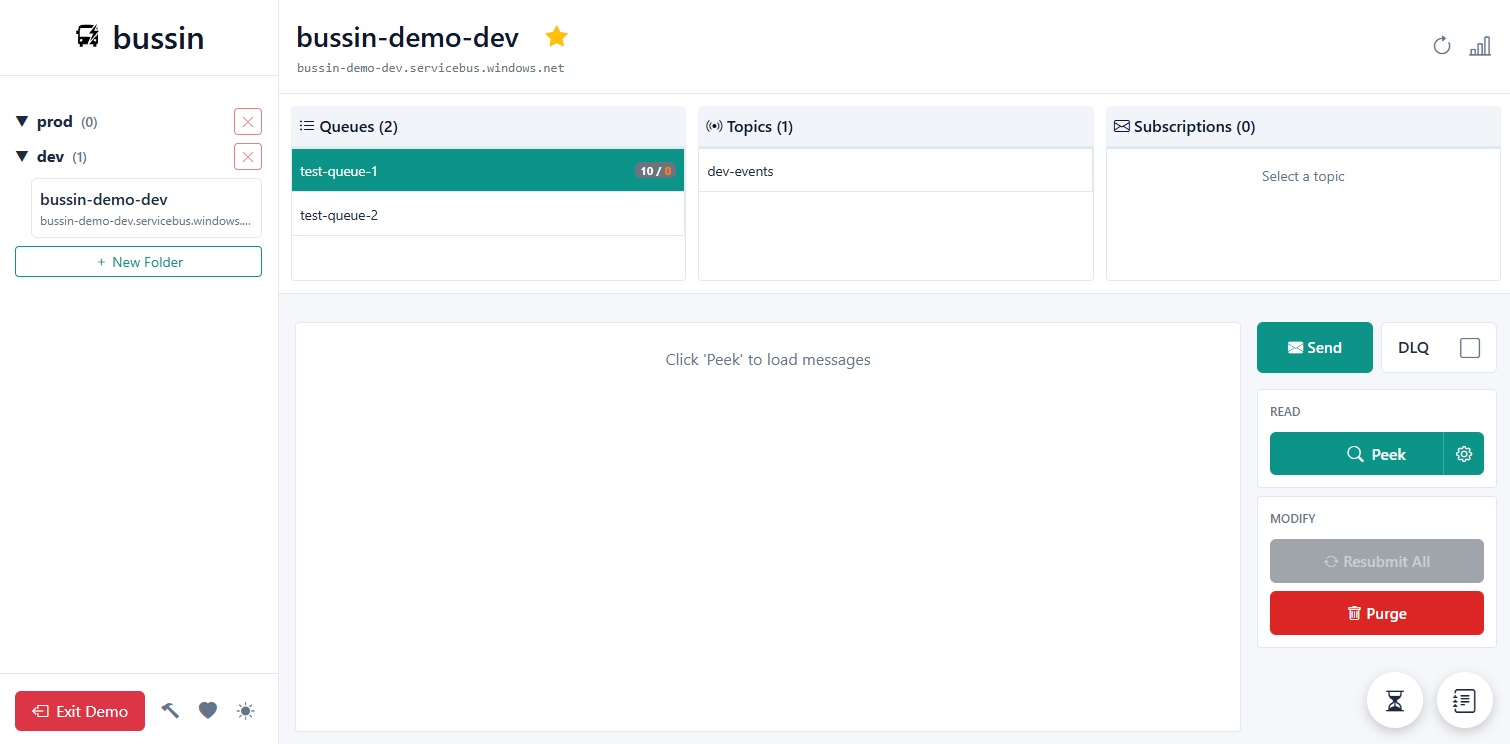
True Cross-Platform Azure Service Bus Tooling
Bussin provides a high-fidelity, consistent administrative interface across macOS, Linux, and Windows. By utilizing standard browser runtime engines, developers bypass platform compilation gaps, virtual machines, and emulator compatibility layers.
Unified Runtime Engine Execution
Traditional desktop clients suffer from OS-specific rendering issues, file-system access blocks, and complex runtime installation requirements (such as .NET Framework versions, Wine/Mono layers, or Java VM paths). Bussin resolves these inconsistencies by leveraging the universal runtime platform: the modern browser engine (V8, WebKit, or Gecko).
Absolute UI Consistency
Whether you run Safari on macOS, Chrome on Windows, or Firefox on Ubuntu, our responsive CSS grid and WebAssembly core perform identically. You get the same rendering, keyboard short-cuts, and diagnostic speed everywhere.
No Mono, Wine, or VM Overhead
Linux and Mac developers no longer need to configure winePrefix or boot resource-heavy Windows virtual machines to run administrative interfaces. Bussin loads in milliseconds inside standard browser processes.
Zero native installers
Eliminate security review bottlenecks associated with installing local native executables or PKG files. Bussin runs in standard user-space browser sandboxes, conforming directly to corporate IT security rules.
Enterprise Diagnostic Parity
Operating in a browser client does not mean compromising on professional capabilities. Bussin matches or exceeds traditional desktop tools across every crucial administrative operation:
1. Live AMQP Subscriptions & Topic Auditing
Subscribe to topic endpoints directly from any platform. The client renders live message streams using direct WebSockets, showing lock durations, delivery counts, and custom headers in a highly legible tabular view.
2. Cross-Tenant Workspace Mapping
Organize namespaces from distinct Entra ID tenants into a single, unified workspace sidebar. This feature is particularly powerful for cross-platform cloud SRE teams managing complex dev, staging, and production environments across multiple subscriptions.
3. Transactional Dead-Letter Remediation
Peek dead-letter queues, inspect message headers to diagnose system exceptions, repair payload strings using the inline JSON editor, and resubmit them safely to active queues—available uniformly on macOS, Linux, and Windows.
Zero-Friction Team Alignment
By standardizing on a browser-native portal, software teams eliminate the "works on my machine" friction. Every engineer, QA analyst, and operator accesses the exact same diagnostic features, auth behaviors, and UI dashboards, streamlining collaborative debugging sessions during critical live-site incidents.