 bussin
Technical Reference Guide
Topic Subscription Monitoring and Routing Rules
Azure Service Bus's Publish-Subscribe (Pub/Sub) engine enables a single publisher to broadcast messages to topics, which then distribute copy sets to individual, independent topic subscriptions. The routing logic is evaluated on the broker using declarative filter rules. This guide provides a detailed breakdown of subscription state properties, filter types (SQL and Correlation), and diagnostic workflows for auditing routing behavior inside Bussin.
Understanding Subscription Filter Types
When a message is published to a topic, the broker evaluates each subscription's active filters. If the message matches, a clone of the message is placed in that subscription's active queue. There are three types of rules:
1. Boolean Filters (`TrueFilter` / `FalseFilter`)
- TrueFilter (Default): Evaluates to true for all incoming messages. A subscription with a TrueFilter acts as a broad receiver, capturing every message sent to the topic.
- FalseFilter: Evaluates to false for all incoming messages. This suspends all message delivery to the subscription. It is highly useful during active deployments or target consumer updates to isolate delivery blocks.
2. SQL Filters (`SqlFilter`)
Evaluates a SQL92-like text statement against incoming message properties (both user-defined headers and system metadata). For example:
sys.Subject = 'Invoice' AND CustomRegion = 'US-East' AND OrderTotal > 150.00SQL filters support rich logical operators, string comparisons, numerical evaluations, and system namespaces (`sys.`). However, they introduce minor processing overhead during high-volume topic ingress.
3. Correlation Filters (`CorrelationFilter`)
A highly optimized, high-performance rule structure that matches on a flat list of incoming system and custom headers. The broker compares fields using exact value matches:
- `MessageId`, `CorrelationId`, `SessionId`
- `To`, `ReplyTo`, `Subject`, `ReplyToSessionId`
- Custom developer-defined key/value properties
Because they bypass full SQL parsing engines, Correlation filters are evaluated much faster and are recommended for microservice routing at scale.
Auditing Subscription State Properties
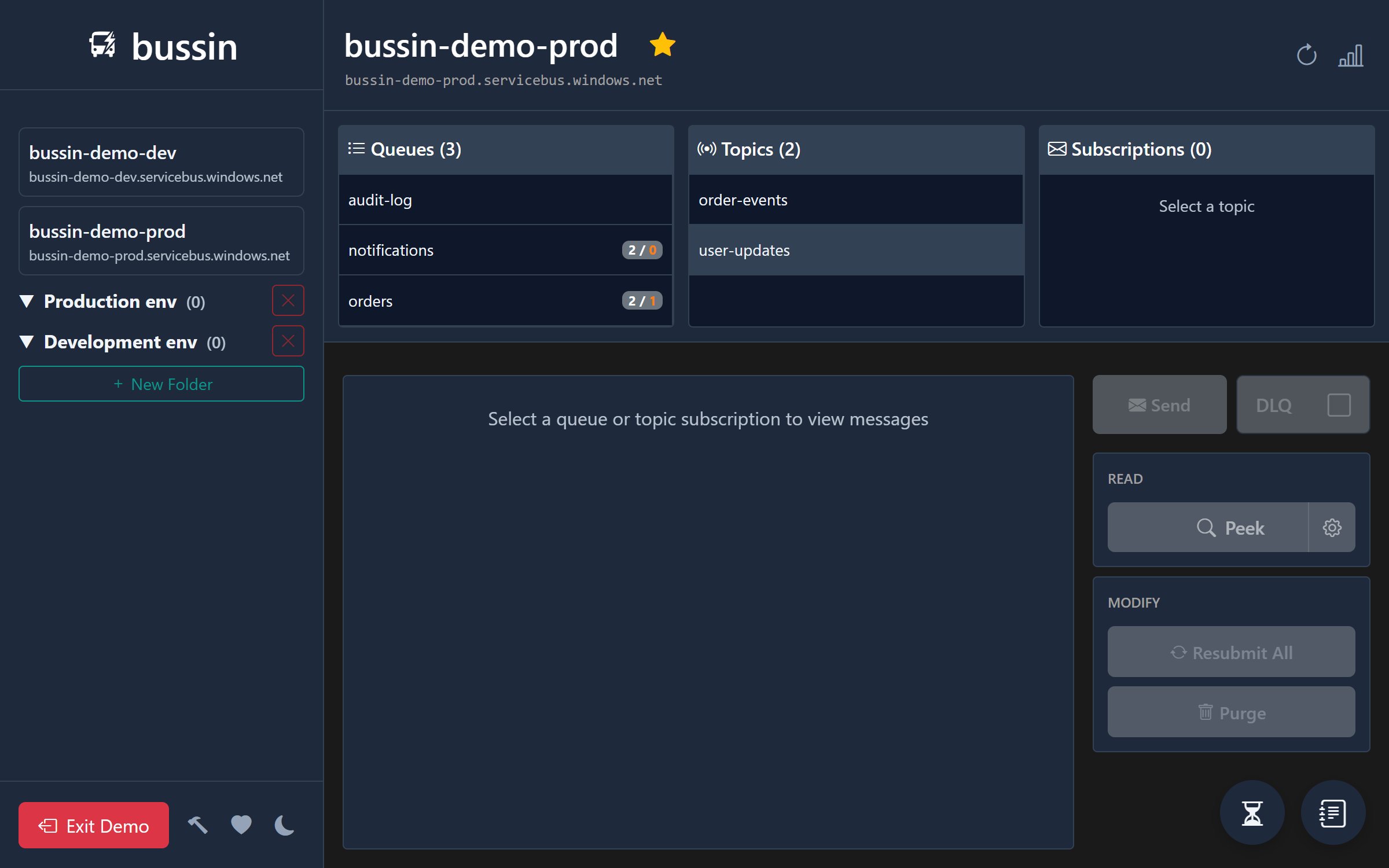
In Bussin's active explorer workspace, opening a topic exposes its subscription collection with real-time operational metrics fetched from management-plane APIs:
- `ActiveMessageCount`: Messages currently residing in the active queue partition, waiting for consumer locks.
- `DeadLetterMessageCount`: Messages that failed processing or exceeded delivery limits, residing in the subscription's isolated dead-letter sub-queue (`$DefaultDeadLetterQueue`).
- `DefaultMessageTimeToLive`: The default time-to-live duration enforced by the broker if a publisher sends a message without explicit TTL properties.
- `LockDuration`: The exclusive lock lease time allocated to receiver links (default is 30 seconds).
Troubleshooting Routing and Filter Failures
When messages are missing from subscription partitions, developers can follow a logical diagnostic workflow inside Bussin:
1. Open the target Topic and inspect the Subscription list
2. Review the Subscription's configured filter definition:
   - Check SQL syntax spelling
   - Verify that custom user property keys match incoming message headers exactly
3. If messages are dead-lettered with a `SubscriptionRuleEvaluationException`:
   - Inspect the DLQ header values
   - Check if incoming custom property formats violated the SQL rule types (e.g. comparing string values to numerical limits)
4. Use the "Send Message" modal to publish a test message containing custom properties, validating routing outputs instantly
Next Steps
Expand your cloud integration practices by reviewing our guide on Peek-lock state management, check out Dead-letter recovery procedures, or compare Bussin to other administrative utilities in our Alternative Guide.